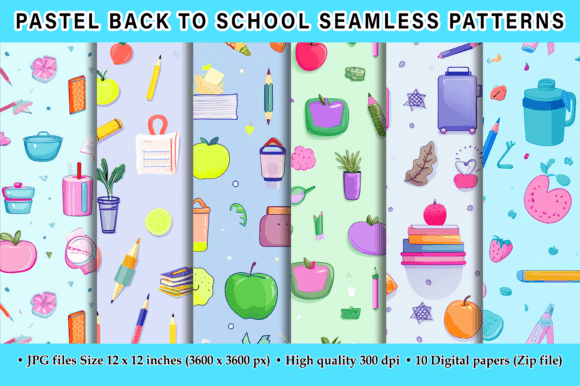
Pastel Back to School Seamless Patterns
Soft mint, dusty rose, sky blue, and warm lavender—these aren’t just colors for a mood board. They’re the quiet confidence behind Pastel Back to School Seamless Patterns: a thoughtfully crafted digital paper pack designed for creators who value both aesthetic harmony and technical reliability. Whether you're designing printable planners for students, branding a tutoring business, crafting classroom decor, or building a cohesive social media campaign for the new academic year, these patterns offer flexibility without compromise.
Why These Patterns Stand Out (and Why “Seamless” Isn’t Just Marketing Jargon)
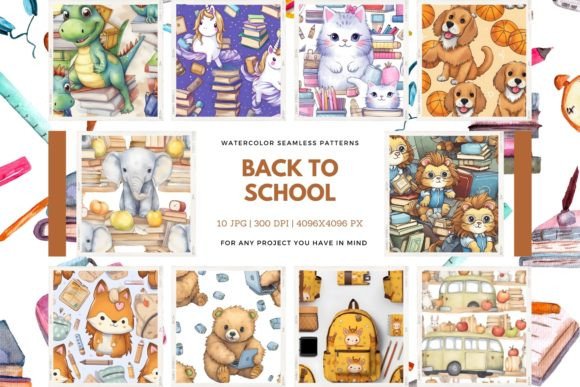
“Seamless” means what it says: no visible joins when tiled across large surfaces—like a full-page background in Canva, a custom notebook cover in Adobe Illustrator, or even printed wall decals. Many free or low-cost pattern sets claim seamlessness but fail under real use: subtle misalignments become glaring at 300 DPI, or color shifts appear when scaled. This pack delivers true seamless tiling because each of the 10 high-resolution JPG files is built on a perfectly balanced 12×12 inch canvas (3600×3600 pixels) at 300 DPI—ideal for both digital display and professional print.
That resolution matters more than most buyers realize. A 72 DPI file might look fine on screen—but try printing it at poster size, and you’ll get pixelation, blurriness, or muddy gradients. Worse, some sellers list “high-res” without specifying DPI or dimensions, leaving users to discover the limitation only after download. With Pastel Back to School Seamless Patterns, there’s no guessing: every file is production-ready, consistent, and tested for repeat accuracy.
Mistake #1: Assuming All Pastel Patterns Are Interchangeable
Pastel palettes vary widely—not just in hue, but in saturation, undertone, and contrast. A set with cool-leaning pastels (think sage + lilac) may clash with warm-toned photography or branding elements like terracotta or cream. Some designers grab the first “back to school” pack they see, only to find the colors don’t harmonize with their existing logo or website palette.
Better approach: Before downloading, open one sample pattern in your design software alongside your brand assets. Adjust brightness/contrast slightly if needed—but avoid heavy filters that degrade quality. These patterns are intentionally versatile, but pairing them wisely saves time and preserves visual cohesion.
Mistake #2: Overlooking File Format Limitations
This pack delivers JPGs—not PNGs or layered PSDs. That’s intentional: JPG ensures universal compatibility (works in Canva, Google Slides, Microsoft Word, Cricut Design Space, and most print-on-demand platforms), fast loading, and predictable color rendering. But it also means no transparency. If you need drop shadows, cut-out shapes, or overlays, you’ll need to add those in your editor—not expect them baked in.
What to check before buying: Ask yourself: *Will I be layering this over photos or text?* If yes, consider whether a white or light background works—or if you’d benefit from a complementary transparent overlay (which you can create separately using the JPG as a base).
Mistake #3: Skipping the “Test Tile” Step
Even seamless patterns can behave unexpectedly depending on your software’s tiling settings. In Photoshop, for example, using “Pattern Overlay” vs. “Fill Layer” yields different results. In Canva, dragging a pattern into the background may auto-stretch instead of tile—unless you manually adjust the size and position.
Practical tip: Open one JPG in your preferred tool and duplicate it four times in a grid. Zoom out. Look for repeating lines, color banding, or edge artifacts. If you spot any, revisit your tiling method—not the file. These patterns were rigorously tested, so inconsistencies almost always point to workflow, not quality.
Mistake #4: Underestimating Use-Case Flexibility
Many assume “back to school” = only for teachers or students. In reality, this pack supports far broader applications: a freelance graphic designer creating branded welcome kits for online course launches; a small business owner updating seasonal email headers; an educator building inclusive, calming visual schedules; or a blogger designing Instagram story templates for study tips.
The softness of the palette isn’t just decorative—it reduces visual fatigue, supports accessibility (especially for neurodivergent audiences), and conveys calm authority—ideal for environments where clarity and kindness matter.
What to Verify Before You Download or Share
- Resolution & Dimensions: Confirm each file is truly 3600×3600 px. Some sellers upscale lower-res files—resulting in soft edges or interpolation artifacts.
- DPI Consistency: Check metadata (right-click → Properties → Details on Windows, or Get Info on Mac) to verify 300 DPI is embedded—not just claimed.
- Color Mode: These are RGB files—perfect for digital use and most modern printers. If you’re sending to a traditional offset printer requiring CMYK, convert carefully and soft-proof first.
- Licensing Clarity: This pack is for personal and commercial use (no resale of the files themselves). Always review the license included in the ZIP—especially if you plan to use patterns in client work or POD products.
A Note on Value—Beyond the Pixels
At first glance, 10 patterns may seem modest. But consider the time saved: no hunting for compatible textures, no adjusting contrast or scaling mismatches, no reworking files mid-project. One educator told us she used three patterns from this set to redesign her entire Google Classroom banner, printable syllabus, and parent newsletter—all in under 45 minutes. Another small-business owner applied one pattern across her Etsy shop header, printable planner inserts, and Instagram highlight covers—creating instant brand recognition without hiring a designer.
If you appreciate clean execution, thoughtful color balance, and files that do exactly what they promise—without hidden caveats—then Pastel Back to School Seamless Patterns delivers measurable efficiency. And if you find them useful? A 5-star rating helps other creators discover reliable resources faster. It’s a small gesture that supports honest, high-integrity digital design communities.
Thank you for visiting—and for choosing tools that make your work both beautiful and sustainable.