Back to School Push Pin Sticker Icon
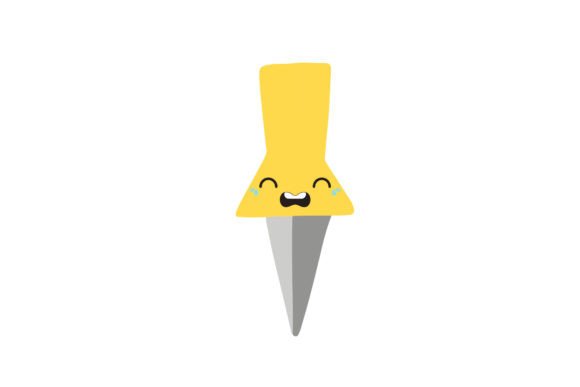
If you're designing classroom materials, launching an education-themed marketing campaign, or creating back-to-school digital assets for your small business, a Back to School Push Pin Sticker Icon can add instant visual clarity and playful professionalism. Unlike generic school icons, this design combines the familiar push pin shape — evoking organization, emphasis, and noticeability — with seasonal academic energy. It’s not just decorative; it’s functional: think bulletin board graphics, lesson plan headers, printable planners, social media story highlights, or even vinyl-cut stickers for student welcome kits.
Why format variety matters more than you think
Many buyers assume “one file type fits all” — especially when they see terms like “vector” or “high-res.” But that assumption leads directly to frustration. You might download an SVG expecting crisp scaling in Canva, only to find embedded fonts or raster effects that break on export. Or open the AI file in Affinity Designer and discover missing layers because the original wasn’t built with cross-software compatibility in mind. Worse, some sellers offer “PNGs only” labeled as “editable,” which isn’t true — PNGs are flat, non-scalable, and lack transparency control beyond basic alpha channels.
This Back to School Push Pin Sticker Icon avoids those pitfalls by delivering six purpose-built formats: 1 AI (Adobe Illustrator), 1 EPS (universal vector support), 1 SVG (web-ready, responsive), 1 DXF (for CNC, laser cutters, and Cricut/Silhouette users), 1 JPG (quick preview or web use where transparency isn’t needed), and 1 PNG (with transparent background, ideal for overlays in PowerPoint, Google Slides, or Instagram posts). Each file is generated from the same clean, layered source — no conversions that degrade quality or strip editability.
Don’t overlook canvas size — it affects real-world use
The 1920px × 1280px canvas isn’t arbitrary. It’s wide enough to comfortably scale down for mobile thumbnails (e.g., 400px wide for Instagram stories) while retaining sharpness, and tall enough to accommodate text labels or supporting graphics without crowding. Some designers mistakenly grab tiny 512×512 icons thinking “smaller = lighter,” then struggle to enlarge them for posters or signage — resulting in pixelation or blurry edges. Others download oversized files (like 6000×4000) that bloat project files and slow down editing software unnecessarily.
A 1920×1280 base strikes a practical balance: large enough for print at 150–300 DPI up to A4 or letter size, yet manageable in memory and compatible with most free and paid design tools. If you’re using it in Canva, Figma, or Google Docs, you’ll appreciate how easily it resizes without distortion. For educators building digital worksheets, that consistency means less time troubleshooting and more time teaching.
Editing shouldn’t mean starting over
“Easy to edit” sounds great — until you open the file and find everything merged into one layer, grouped with unlabelled paths, or locked behind password-protected objects. That’s not helpful editing; it’s obstacle course editing. With this Back to School Push Pin Sticker Icon, the AI and EPS files preserve named layers (e.g., “Pin Body,” “Cap,” “School Elements”), editable strokes and fills, and unlinked text (so no font substitution surprises). The SVG uses semantic IDs and minimal inline styles — meaning you can tweak colors via CSS or import cleanly into web builders like Webflow or WordPress block editors.
Real example: A freelance graphic designer used the DXF version to cut physical push pin-shaped magnets for a teacher appreciation event. Because the paths were clean and closed (no stray anchor points), her cutting machine processed the file on the first try — no manual redrawing or software cleanup. That saved two hours of prep time she’d otherwise have spent fixing broken vectors.
What to verify before downloading or buying
Before adding any icon to your toolkit, ask yourself three things:
- Is the licensing clear? This Back to School Push Pin Sticker Icon includes commercial-use rights — meaning you can use it in client work, sell printed planners containing it, or feature it in a paid online course. Check whether the license covers resale of derivative products (e.g., selling sticker sheets with this design), and whether attribution is required.
- Are color modes consistent? RGB is standard for digital use; CMYK matters if you’re printing professionally. This set ships in RGB — appropriate for screens, presentations, and most home/office printers — but the vector files let you convert safely in Illustrator or InDesign if needed.
- Does it integrate with your workflow? If you rely on Silhouette Studio, test the DXF before purchase. If you use Figma daily, confirm the SVG imports with intact groups and no missing glyphs. This product was tested across Adobe Creative Cloud, CorelDRAW, Inkscape, Cricut Design Space, and Figma — so you won’t hit unexpected compatibility walls.
A better way to evaluate quality
Instead of scanning file names or trusting stock-site star ratings, zoom into the actual artwork. Look for smooth curves (not jagged approximations), balanced negative space around the pin head and shaft, and intentional school-themed details — like subtle book silhouettes in the cap or chalk-dust texture in the background — that enhance meaning without cluttering readability. This Back to School Push Pin Sticker Icon uses restrained, scalable motifs: the icon remains legible even at 64px, and its bold silhouette holds up in black-and-white photocopies — crucial for busy teachers making handouts.
Also consider scalability *in context*. Try placing it beside common elements: a calendar icon, a notebook outline, or a “First Day” banner. Does it visually harmonize? Does its weight match? This design was crafted with typographic hierarchy in mind — its stroke thickness and proportions align naturally with popular educational fonts like Nunito, Quicksand, and Open Sans.
Final thought: Choose flexibility, not just files
You’re not just buying a sticker icon — you’re investing in time saved, fewer revisions, smoother client handoffs, and designs that hold up across platforms and print runs. A single-purpose file may cost less upfront, but it often costs more in labor, delays, and rework. With six carefully prepared formats — each serving a distinct role in modern creative workflows — this Back to School Push Pin Sticker Icon supports growth, not just immediate needs. Whether you’re a homeschool parent building a weekly schedule, a university department updating orientation materials, or a Shopify seller launching a back-to-school merch line, having the right file, in the right format, at the right size makes the difference between “good enough” and “done right.”