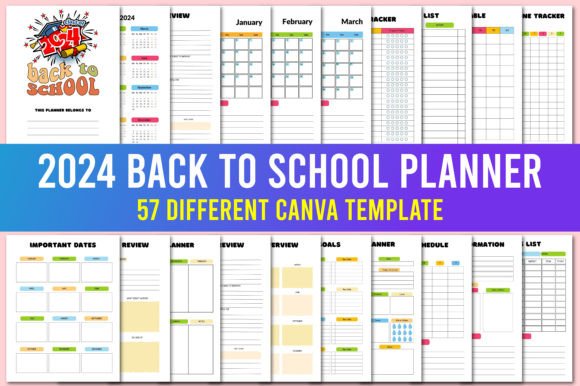
2024 Back to School Planner Canva
Whether you’re a parent coordinating three school schedules, a high school student juggling AP classes and soccer practice, or a teacher mapping out lesson plans and parent-teacher conferences, staying organized before day one makes all the difference. The 2024 Back to School Planner Canva isn’t just another printable—it’s a flexible, editable, classroom-tested tool designed for real life in 2024. Unlike static PDFs or overly complex digital apps, this Canva-based planner meets people where they are: familiar with drag-and-drop editing, needing both digital convenience and physical usability, and wanting control without technical overhead.
What It Actually Is—And What It’s Not
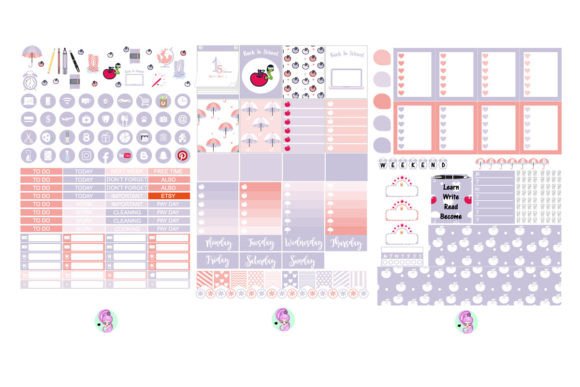
The 2024 Back to School Planner Canva is a customizable Canva template—not software, not a subscription, and not a pre-filled calendar. It’s a starting point: a thoughtfully structured layout (with weekly spreads, assignment trackers, supply checklists, and habit logs) built inside Canva’s free platform. You open the link, personalize colors and fonts, add your own classes or routines, then export to PDF for printing—or keep it live in Canva for ongoing edits.
That clarity matters. Many users mistakenly assume “Canva template” means “automated planner.” It doesn’t sync with Google Calendar, won’t auto-populate due dates from your email, and won’t grade assignments. But that’s by design: it puts *you* in charge of what goes in—and how it looks—without hidden dependencies or learning curves.
Assuming “Editable” Means “Effortless for Everyone”
Canva’s interface is intuitive—but only if you’ve used it before. First-time users often get stuck trying to resize text boxes, change page order, or download print-ready files. They waste time adjusting margins instead of planning. Better approach: Spend 10 minutes watching Canva’s official “Getting Started” video before opening the template. Then duplicate the file first—so your original stays intact while you experiment.
Skipping the Print-Ready Check
Some users edit in Canva, hit “Download,” choose PNG, and end up with blurry pages or cropped headers. Others assume “PDF Print” will automatically scale correctly—only to discover their weekly grid prints too small on letter-sized paper. Fix it: Always select PDF Print (not Standard PDF), confirm “US Letter” is selected, and use Canva’s built-in bleed and margin guides. Test-print one page first—especially if you’ll bind the planner or use a specific notebook size.
Over-Customizing Before Planning
It’s tempting to spend hours choosing font pairings or uploading custom icons—before entering a single class period or due date. That delays actual use and risks burnout before school even starts. Try this instead: Fill in your core schedule and top five recurring deadlines *first*. Then go back and adjust colors or add stickers—only if it supports clarity, not just aesthetics.
Forgetting That “Editable Links” Require Access Management
The editable Canva links included with the 2024 Back to School Planner Canva are powerful—but they only stay editable if you (or your co-parent/colleague) maintain Canva accounts and proper sharing settings. If you share the link with “Can view” permissions instead of “Can edit,” collaborators can’t update assignments or reschedule events. Worse, if the owner deletes their Canva account, the link breaks entirely. Pro tip: Assign one person as the primary editor, use Canva’s “Share” button to grant “Can edit” access explicitly, and save a backup PDF version every two weeks—just in case.
What to Verify Before You Commit
Before downloading or purchasing any 2024 Back to School Planner Canva, ask yourself three things:
- Does it include August–December 2024 date ranges? Some templates default to generic “Week 1–Week 36” labels—useless without manually entering each date. Look for ones with pre-filled 2024 academic calendars (including Labor Day, Thanksgiving break, and winter holidays).
- Are all text boxes fully editable—not locked or flattened? A quick test: click any heading. If you see blue bounding boxes and can type over it, it’s truly editable. If nothing happens, it’s likely a rasterized image—and not worth your time.
- Is there a clear distinction between student, parent, and educator views? A strong 2024 Back to School Planner Canva offers variations—not just one layout. For example: a simplified version for middle schoolers with visual timers, a dual-column layout for parents managing multiple grades, and a lesson-planning tab for teachers with space for standards alignment and reflection prompts.
Real Use Cases—Done Right
A homeschooling parent in Austin used the 2024 Back to School Planner Canva to build a hybrid tracker: one tab for state-mandated science lab hours, another for co-op class rotations, and a third for her daughter’s piano practice log. She didn’t try to fit everything into one weekly spread—instead, she duplicated pages and labeled them clearly. Result? Less daily decision fatigue and fewer missed deadlines.
A college freshman in Chicago started with the template’s basic weekly layout—but added color-coded blocks for study sessions, part-time job shifts, and mental health check-ins. She exported to PDF, printed double-sided, and bound it at a local copy shop. Because she’d tested print sizing first, nothing was cut off—and because she kept the Canva link active, she updated her syllabus deadlines mid-semester without reprinting.
Final Thought: Tools Serve People—Not the Other Way Around
The 2024 Back to School Planner Canva works best when treated as a collaborator—not a magic fix. Its value isn’t in how many features it has, but how reliably it helps you say “yes” to what matters: showing up prepared, reducing last-minute scrambles, and protecting space for rest and learning. Choose wisely, test early, customize intentionally—and let the planner support your rhythm, not override it.